
What's inside
As an Amazon Associate I earn from qualifying purchases. This post may contain affiliate links at no extra cost to you.
The Cooler Master Elite 130 is a small mini-ITX case with a simple cooling layout. The front takes one 120 mm fan, and that fan does most of the work. It pulls cool air in, it pushes air over the graphics card and the power supply, and it decides whether a small build runs quiet or runs hot.
That is why the front fan matters more in the Elite 130 than it does in a large tower. In a large case, a weak fan is one of four or five fans. In the Elite 130, a weak front fan is the whole intake. A good 120 mm fan here needs airflow, static pressure to pull air through the front mesh and filter, and a quiet motor, because the case sits close to you on a desk.
Our top pick is the Noctua NF-A12x25 PWM. It is a 120 mm fan, 25 mm thick, with a 4-pin PWM connector, a maximum speed of 2,000 RPM, about 60 CFM of airflow, about 2.34 mm H2O of static pressure, and a maximum noise level of about 22.6 dBA. It is the best balance of airflow, pressure, and noise in this guide, and it fits the Elite 130 front mount without modification.
The ratings below are editorial assessments based on airflow, static pressure, noise, bearing type, and value. They are not customer-star averages. Prices are typical retail ranges, not fixed prices, and they vary by retailer.
Our Top Picks
Best 120mm Case Fan for Cooler Master Elite 130 Compared
| Model | Airflow | Static pressure | Max noise | Max speed | Typical price range | Rating |
|---|---|---|---|---|---|---|
| Noctua NF-A12x25 PWM | 60.1 CFM | 2.34 mm H2O | 22.6 dBA | 2,000 RPM | $30–$35 | 4.8 / 5 |
| Arctic P12 PWM PST | 56.3 CFM | 2.20 mm H2O | 24.5 dBA | 1,800 RPM | $10–$15 | 4.7 / 5 |
| be quiet! Silent Wings 4 120mm PWM | 76.7 CFM | 2.36 mm H2O | 18.9 dBA | 1,900 RPM | $25–$30 | 4.6 / 5 |
| Noctua NF-P12 redux-1700 PWM | 70.7 CFM | 2.83 mm H2O | 25.1 dBA | 1,700 RPM | $15–$20 | 4.5 / 5 |
| Cooler Master SickleFlow 120 | 62.0 CFM | 2.50 mm H2O | 27.0 dBA | 1,800 RPM | $10–$15 | 4.4 / 5 |
| Corsair ML120 Pro | 75.0 CFM | 4.20 mm H2O | 37.0 dBA | 2,400 RPM | $25–$30 | 4.3 / 5 |
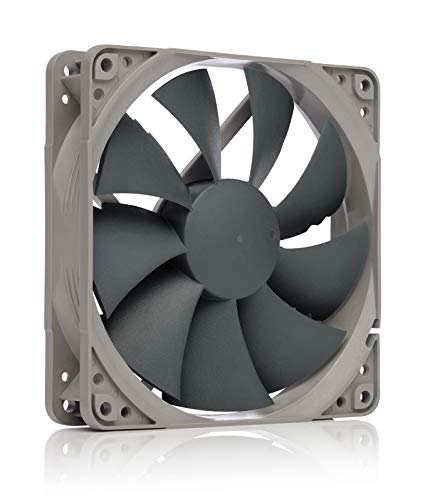
Noctua NF-P12 redux-1700 PWM, Quiet Fan 120mm | High Airflow, Low Noise, 25mm Thick Fan for PC and Electronics Cooling Streamlined Package 1700rpm 4-Pin PWM


As an Amazon Associate we earn from qualifying purchases. Product prices and availability are accurate as of the date/time indicated.

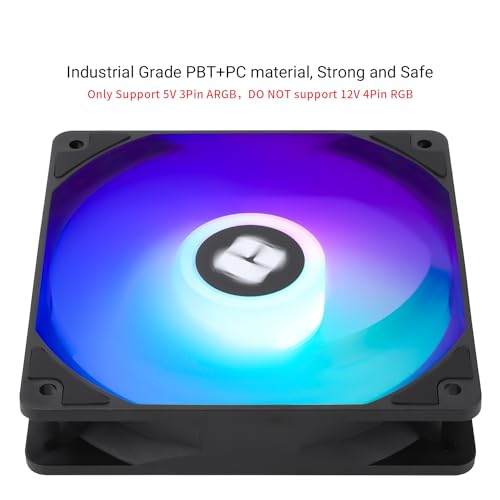
Thermalright 5 Pack TL-C12C-S CPU Fan 120mm ARGB Case Cooler Fan, 4pin PWM Silent Computer Fan with S-FDB Bearing Included, up to 1550RPM Cooling Fan(5 Quantities)



As an Amazon Associate we earn from qualifying purchases. Product prices and availability are accurate as of the date/time indicated.

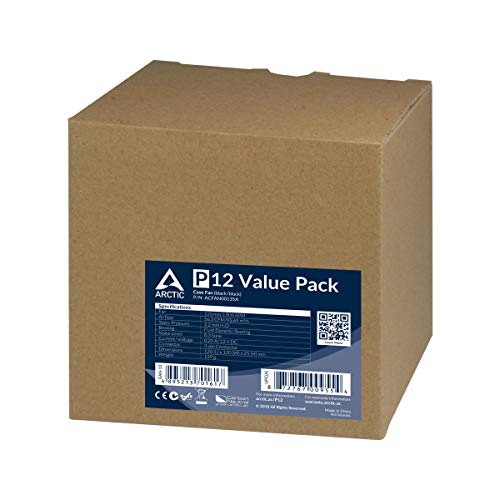
ARCTIC P12 (5 Pack) - PC Fans, 120mm Case Fan, Pressure-optimised, Quiet Motor, Computer, Fan Speed: 1800 RPM - Black


As an Amazon Associate we earn from qualifying purchases. Product prices and availability are accurate as of the date/time indicated.
Prices shown are approximate and for reference only. Prices change often, so please check the current price on Amazon before you buy.
Best 120mm Case Fan for Cooler Master Elite 130 Reviews
1. Noctua NF-A12x25 PWM: Best Overall 120mm Fan for Elite 130
The NF-A12x25 is Noctua’s best 120 mm fan, and it is the best front fan for the Elite 130 for a specific reason: it is quiet at the speed where you will actually run it. At 2,000 RPM it moves 60.1 CFM with 2.34 mm H2O of static pressure, and it does so at 22.6 dBA. At 1,200 to 1,500 RPM, which is where most Elite 130 builds will run it, it is quieter still, and it still moves enough air to keep a mini-ITX build cool.
The fan uses Noctua’s SSO2 bearing, which is designed for long life and for quiet operation in a horizontal or vertical mount. The front mount in the Elite 130 is vertical, so the bearing is not stressed the way a horizontal top mount can stress a sleeve bearing. The fan also includes anti-vibration pads, a low-noise adapter, and a 4-pin PWM cable that lets the motherboard control speed based on temperature.
The price is the main drawback. At $30 to $35, it costs three times as much as the Arctic P12. You are paying for the bearing, the blade design, and the noise level. If you want the quietest front fan that still moves enough air for a hot graphics card, that premium is worth it. If you want the best value, buy the Arctic.
2. Arctic P12 PWM PST: Best Value 120mm Fan for Elite 130
The Arctic P12 PWM PST is the value pick in this guide, and it is a close second to the Noctua. It moves 56.3 CFM with 2.20 mm H2O of static pressure at 1,800 RPM, and its maximum noise is about 24.5 dBA. It is a little louder than the Noctua at full speed, and it moves a little less air, but it costs $10 to $15, about a third of the price.
The PST in the name means PWM Sharing Technology. The fan has a second PWM connector that lets you daisy-chain another PWM fan to the same motherboard header. That is useful in the Elite 130, which has limited fan headers, if you want to add a second fan later. The fan uses a fluid dynamic bearing, which is quieter and longer-lived than a sleeve bearing, and it is designed for both airflow and static pressure.
For a budget Elite 130 build, the Arctic P12 is the right choice. Buy two if you want a spare, or buy one and spend the money you saved on a better CPU cooler or a larger SSD. The Noctua is quieter, but the Arctic is close enough that most users will not notice the difference in a closed case under a desk.
3. be quiet! Silent Wings 4 120mm PWM: Best Quiet 120mm Fan
The be quiet! Silent Wings 4 is the quietest fan in this guide at full speed, at 18.9 dBA, and it also moves the most air at that noise level, at 76.7 CFM. It uses a fluid dynamic bearing, a 6-pole motor, and a fan blade design that is optimised for quiet operation. It runs at up to 1,900 RPM, with 2.36 mm H2O of static pressure.
That combination is unusual: more airflow, less noise. The reason is the blade design and the motor, which are designed to move air without the turbulence that makes a fan loud. In the Elite 130, that means you can run the front fan faster without hearing it, which is useful if you have a hot graphics card or a CPU that runs warm.
The trade-off is price and availability. At $25 to $30, it is cheaper than the Noctua NF-A12x25, but more expensive than the Arctic P12. It is also a newer design, so it does not have the same long track record as the Noctua. If quiet matters most to you, and you want the highest airflow at the lowest noise, the Silent Wings 4 is the best choice here.
4. Noctua NF-P12 redux-1700 PWM: Best Noctua on a Budget
The NF-P12 redux-1700 PWM is a simpler Noctua fan, without the accessories and the premium packaging of the NF-A12x25. It moves 70.7 CFM with 2.83 mm H2O of static pressure at 1,700 RPM, and its maximum noise is 25.1 dBA. That static pressure is higher than the NF-A12x25, which makes it good for pulling air through a front filter and mesh.
It uses Noctua’s SSO bearing, and it has a 4-pin PWM connector for motherboard control. It does not include the anti-vibration pads, the low-noise adapter, or the extension cable that come with the NF-A12x25, which is why it costs $15 to $20 instead of $30 to $35. You can buy those accessories separately if you need them, but most Elite 130 builds do not need them.
Choose the redux if you want Noctua quality and a high static pressure, but you do not want to pay for the NF-A12x25. It is louder than the NF-A12x25 at full speed, but it moves more air and it has more pressure, which can be useful if your Elite 130 front filter is dirty or if your graphics card runs hot.
5. Cooler Master SickleFlow 120: Best Matching Fan for Elite 130
The Cooler Master SickleFlow 120 is the fan that matches the Elite 130 brand, and it is a good budget choice. It moves 62 CFM with 2.50 mm H2O of static pressure at 1,800 RPM, and its maximum noise is 27 dBA. It is available in a version with RGB lighting and a version without, and it costs $10 to $15.
The SickleFlow uses a rifle bearing, which is quieter than a sleeve bearing and longer-lived, although not as quiet as the fluid dynamic bearing in the Arctic or the be quiet! fan. It is designed for airflow, with a blade shape that moves air efficiently, and it is a good match for the Elite 130 front mount, which is a Cooler Master design.
The drawback is noise. At 27 dBA, it is the second-loudest fan in this guide at full speed, after the Corsair ML120 Pro. At lower speeds, it is quieter, and most Elite 130 builds will not run it at full speed all the time. If you want a matching Cooler Master fan, or you want RGB lighting, the SickleFlow is a reasonable choice. If you want the quietest fan, buy the be quiet! or the Noctua.
6. Corsair ML120 Pro: Best High Static Pressure Fan
The Corsair ML120 Pro uses a magnetic levitation bearing, which is designed for long life and for quiet operation at high speed. It moves 75 CFM with 4.20 mm H2O of static pressure at 2,400 RPM, which is the highest static pressure in this guide by a wide margin. That makes it the best fan here for pulling air through a thick filter, a dense mesh, or a radiator.
That pressure comes with noise. At 2,400 RPM, its maximum noise is 37 dBA, which is much louder than the other fans here. At 1,200 to 1,500 RPM, it is quieter, and it still moves enough air for most builds, but it is not a quiet fan at full speed. It is also a 4-pin PWM fan, so the motherboard can control its speed, and you should set a fan curve that keeps it below 1,800 RPM unless the temperature rises.
Choose the ML120 Pro if you have a radiator in the Elite 130, or if you have a very hot build and you need maximum pressure. For a standard air-cooled Elite 130 with a front intake fan, the Noctua or the Arctic will be quieter and will move enough air. The ML120 Pro is a specialist fan, not a general-purpose front fan.
Best 120mm Case Fan for Cooler Master Elite 130 Buying Guide
Start with size, then connector, then airflow and pressure. A good 120 mm case fan for the Elite 130 should be 120 by 120 by 25 mm, should have a 4-pin PWM connector, should move at least 50 CFM, and should have at least 2 mm H2O of static pressure. Every fan in the table meets those tests. The differences are in noise, bearing, and price.
Where the 120mm fan goes in the Elite 130
The Elite 130 front mount takes one 120 mm fan, 25 mm thick. That fan is the intake. It should pull cool air in from the front, through the mesh and filter, and push it toward the graphics card and the motherboard. Do not mount it as an exhaust. An exhaust at the front would pull hot air from inside the case out the front, and it would starve the graphics card of cool air.
The Elite 130 also has an 80 mm side mount and an 80 mm rear mount, but those are not 120 mm mounts. Do not buy a 120 mm fan for those positions. It will not fit. If you want to add a second fan, buy an 80 mm fan for the side or rear, and keep the 120 mm fan at the front.
Check clearance before you buy. A 25 mm thick fan fits the front mount with a standard graphics card. A thicker fan, such as a 38 mm fan, will not fit without modification, and it may block the graphics card. All six fans in this guide are 25 mm thick, so they fit.
Airflow, static pressure, and noise
Airflow, measured in CFM, tells you how much air the fan moves in free air, with no filter or mesh in front of it. Static pressure, measured in mm H2O, tells you how well the fan pushes air through a restriction, such as a filter, a mesh, or a radiator. For the Elite 130 front, you need both, because the front has a mesh and a filter.
A fan with high airflow but low pressure will move a lot of air in free air, but it will stall when it has to pull air through a filter. A fan with high pressure but low airflow will push air through a filter, but it will not move enough air to cool the case. The best front fan has a balance: at least 50 CFM and at least 2 mm H2O.
Noise, measured in dBA, tells you how loud the fan is at full speed. In a small case on a desk, noise matters. A fan at 37 dBA is much louder than a fan at 19 dBA. But most fans are not run at full speed all the time. A PWM fan lets the motherboard slow the fan down when the temperature is low, and speed it up when the temperature rises. Set a fan curve in the BIOS that keeps the front fan at 800 to 1,200 RPM at idle, and at 1,500 to 1,800 RPM under load, and most fans in this guide will be quiet.
PWM, bearing, and fan curves
Buy a 4-pin PWM fan, not a 3-pin DC fan, if your motherboard has a PWM header. PWM lets the motherboard control speed more precisely, and it lets the fan run slower at idle without stalling. All six fans in this guide are PWM.
Bearing type affects noise and life. A fluid dynamic bearing and a magnetic levitation bearing are quieter and longer-lived than a sleeve bearing, and they work better in a vertical mount. A rifle bearing is a good budget compromise. A sleeve bearing is the cheapest, but it can be noisy in a horizontal mount and it wears out faster.
Set a fan curve that matches your build. For a quiet build, set the front fan to 30% speed at 40 degrees, 50% at 60 degrees, and 80% at 80 degrees. For a hot build with a high-end graphics card, set it higher. Clean the front filter every month, because a dirty filter reduces airflow more than a weak fan does.
Best 120mm Case Fan for Cooler Master Elite 130 FAQ
What size fan fits the Cooler Master Elite 130 front?
The front of the Cooler Master Elite 130 takes one 120 mm fan, 25 mm thick, with a 4-pin PWM connector. All six fans in this guide are 120 by 120 by 25 mm and fit that mount. Do not buy a 140 mm fan or a 38 mm thick fan for the front. It will not fit without modification.
Should the front fan be intake or exhaust in the Elite 130?
Intake. The front fan should pull cool air in from the front, through the mesh and filter, and push it toward the graphics card and the motherboard. An exhaust at the front would pull hot air out the front and starve the graphics card of cool air. The rear and side fans, if you add them, are usually exhaust.
What is the best 120mm case fan for the Cooler Master Elite 130?
The best 120 mm case fan for the Cooler Master Elite 130 for most builds is the Noctua NF-A12x25 PWM. It moves 60.1 CFM with 2.34 mm H2O of static pressure at 2,000 RPM, and its maximum noise is 22.6 dBA. The best value is the Arctic P12 PWM PST, which moves 56.3 CFM for $10 to $15.
How do I make a 120mm fan quieter in the Elite 130?
Use a PWM fan and set a fan curve in the BIOS that keeps it at 800 to 1,200 RPM at idle and 1,500 to 1,800 RPM under load. Clean the front filter every month, because a dirty filter makes the fan work harder. Use the anti-vibration pads that come with the fan, and make sure the fan screws are tight but not over-tightened, which can transmit vibration to the case.
FAQ
What size fan fits the Cooler Master Elite 130 front?
Should the front fan be intake or exhaust in the Elite 130?
What is the best 120mm case fan for the Cooler Master Elite 130?
How do I make a 120mm fan quieter in the Elite 130?
Related guides
- Camping Cot: 6 Best Camping Cot Picks for Comfort in 2026
- Cooler Bag in 2026: The Complete Guide to Choosing a Soft Cooler Bag That Keeps Food Cold, From YETI Hopper and RTIC Soft Pack to Igloo and Hydro Flask, Sized by Your Real Load and Proven on a Thermometer
- Best Dutch Oven for Camping in 2026: Cast Iron Dutch Ovens That Cook Stews, Bread, and More
- Best Compact Tent for Small Cars in 2026: 7 Compact Tents That Offer Easy Packing, Light Weight, and Reliable Performance for Small Cars
More from Amazon
Programs that pair well with the guide above. Offers and eligibility are set by Amazon and may change.
Free shipping on eligible items, Prime Video and more. Eligible new members can start with a free trial.
Start a Prime free trialA Prime membership for ages 18-24 with a trial period. Eligibility is set by Amazon.
See Prime for Young AdultsAudiobooks and podcasts to listen to on the go. Eligible new members can start with a free trial.
Try Audible freeAd-free music streaming. Eligible new subscribers can start with a free trial.
Try Music Unlimited freeAs an Amazon Associate we earn from qualifying purchases.

Write Your Review
No reviews yet. Be the first to share your experience!